
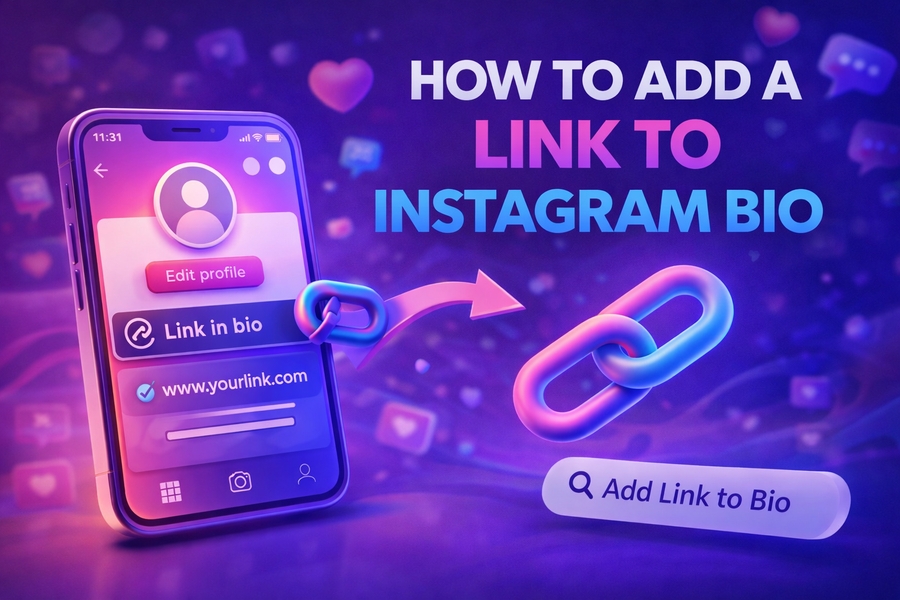
Instagram is one of the most widely used social media platforms globally. However, with a single link allowed in your Instagram bio, it’s essential to use that space wisely. Whether you’re a business owner, influencer, or individual looking to share more than just your homepage, knowing how to effectively add a link to your Instagram bio is critical.
In this guide, we’ll walk you through the process of adding a link, provide tips for optimizing it, and help you maximize the potential of your Instagram profile link.
The Importance of the Link in Your Instagram Bio
Your Instagram bio is the first place people will look when they visit your profile. The link you include in your bio is your only opportunity to lead followers to an external site. Whether you’re promoting a product, sharing your latest blog post, or providing your followers with your portfolio or contact information, it’s crucial to make this link count.
Instead of just linking to your homepage, consider utilizing a link-in-bio tool. This allows you to add multiple links that your followers can easily access with a single click. Some tools even allow for custom designs that match your brand, increasing the aesthetic appeal of your profile.
For example, you can use the Instagram bio finder to create a more engaging link that opens up a collection of links, tailored to various interests of your audience. This simple tool can be used to streamline all the content you wish to promote, from social media platforms to e-commerce websites, with just one link in your bio.
How to Add a Link to Instagram Bio Using the App
Adding a link to your Instagram bio is a straightforward process, but making sure it’s optimized for engagement takes a bit of strategy. Here’s how you can do it:
- Open Instagram App: Launch the Instagram app on your mobile device and log into your account.
- Go to Profile: Tap on your profile icon located in the bottom right corner of the screen.
- Edit Profile: Once on your profile page, tap the “Edit Profile” button.
- Add Link: In the “Website” section, paste the link you’d like to include in your bio. You can add a link to your website, blog, landing page, or social media.
- Save Changes: Once you’re done, hit the “Done” button at the top-right corner of the screen to save your changes.
This method is ideal for users who want to share a singular URL. If you want to include multiple links, you’ll need a specialized tool.
Using a Link-in-Bio Tool
If you need to share more than one link, a link-in-bio tool can provide you with the functionality you need. These tools are designed to allow you to create a single link that leads to a personalized landing page where you can showcase multiple links. Here are the steps to set up a link-in-bio tool:
- Choose a Link-in-Bio Tool: Some popular options include services like Linktree, Taplink, and Linkin.bio. Each platform provides unique features, such as the ability to add buttons, customize the layout, or embed media.
- Sign Up: Once you’ve selected a tool, create an account by signing up and selecting a plan. Many tools offer free plans with basic features.
- Create Your Link Page: After signing up, start adding the links you want to showcase. This can include links to your latest posts, products, affiliate programs, and more. Customize the page to reflect your brand’s visual style.
- Copy Your Link: Once your landing page is ready, copy the link provided by the tool.
- Paste into Bio: Go back to Instagram and paste this new link into your bio.
Best Practices for Link-in-Bio Optimization
Now that you know how to add a link to your Instagram bio, it’s important to focus on optimizing it. Here are a few tips to ensure your link stands out and drives engagement:
1. Use a Clear Call-to-Action
Encourage your followers to click the link by using a call-to-action (CTA) in your posts and bio. Phrases like “Click the link in bio for more” or “Shop now using the link in bio” can help drive attention to your link.
2. Customize Your Link Page
With a link-in-bio tool, you can tailor the design of your page to match your brand. This helps maintain consistency across your social media presence and makes the link more visually appealing.
3. Keep It Short and Sweet
If you’re using a link shortener like Bitly, you can create short, catchy URLs that are easy for your audience to remember. A clean, short URL is more likely to get clicked than a long, complex one.
4. Update Your Bio Regularly
If you’re promoting time-sensitive content like limited-time offers or promotions, be sure to update the link in your bio accordingly. This will keep your profile fresh and relevant.
How to Track Link Clicks in Your Instagram Bio
To measure the success of your link, it’s helpful to track how many people are actually clicking it. Some link-in-bio tools provide analytics that show you how many clicks each link has received.
If you’re using a URL shortener like Bitly, you can access detailed stats, including click rates, geographic location of users, and the devices they used. This data can help you refine your content strategy and optimize future promotions.
Enhance Your Instagram Bio with Relevant Content
In addition to the link, your Instagram bio should include key details that help followers understand who you are and what you offer. Use your bio to provide a brief description of your business, showcase your brand values, or highlight a personal touch.
Here are some tips to enhance your bio:
- Add Keywords: Include relevant keywords to ensure your profile is discoverable in Instagram’s search results.
- Showcase Achievements: If you’re a brand or influencer, use your bio to showcase notable achievements or accolades.
- Use Emojis: Emojis can make your bio more engaging and add personality to your profile. However, be sure to use them sparingly.
For example, adding Instagram bio tips to your bio can help followers learn more about creating effective profiles, while using Instagram bio quotes can provide inspiration and engage your audience with creative content.
Tools to Create an Eye-Catching Instagram Bio
If you’re looking to level up your Instagram bio game, consider using tools that help you create stylish and optimized bios. These tools can generate bios for specific niches like business or fitness.
One such tool is Instagram bio finder, which can provide bio ideas and even generate bio text automatically based on your preferences. This tool can help you find creative bios that resonate with your audience.
Conclusion
Adding a link to your Instagram bio is an essential strategy for driving traffic to your website, social media, or other platforms. Whether you use a simple URL or a link-in-bio tool, optimizing this space can significantly enhance your Instagram presence. By following the steps above and implementing the best practices, you’ll be able to make the most out of your link in bio and boost your engagement effectively.
For those interested in even more ways to make your Instagram bio stand out, exploring specialized bio templates can be a great idea. You can access creative Instagram bio quotes or tips for Instagram bio spacers that will bring a professional touch to your profile.
